Everything a solo block producer needs
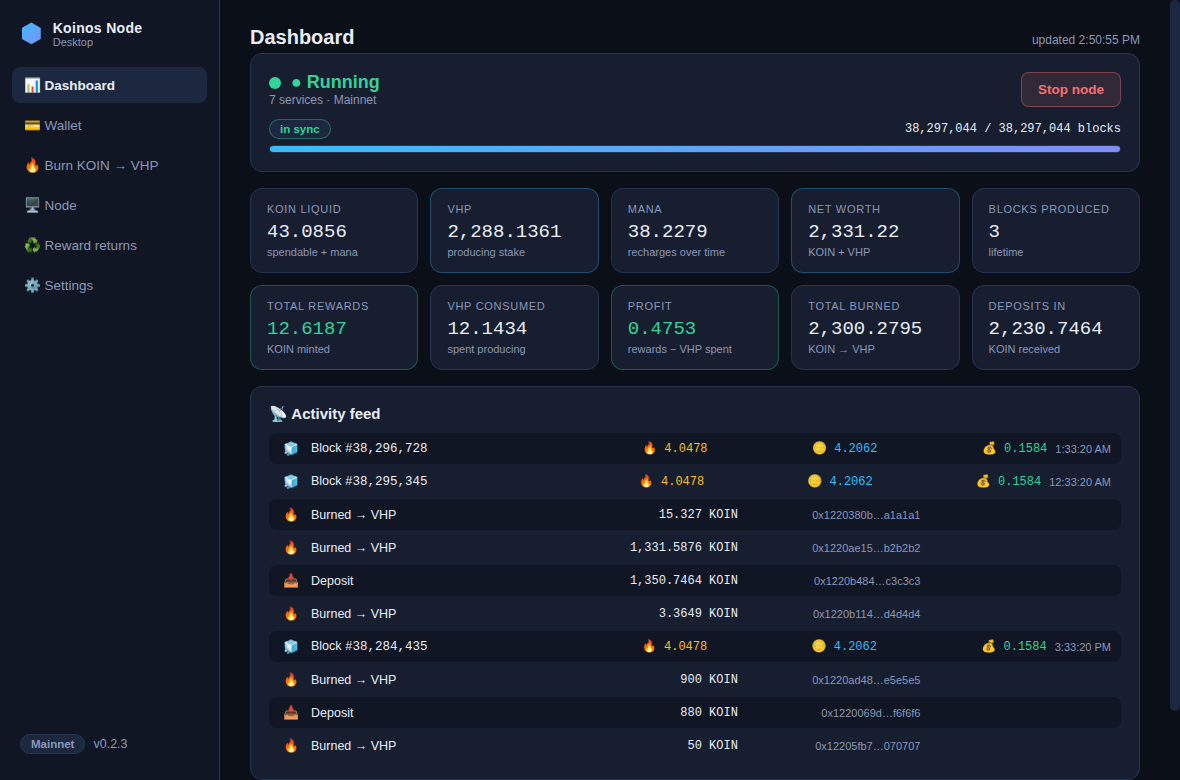
Live dashboard
One screen for everything: node status with a start/stop switch, balances and net worth, lifetime blocks, rewards and profit, plus a feed of every block showing the VHP burned, reward, and profit.
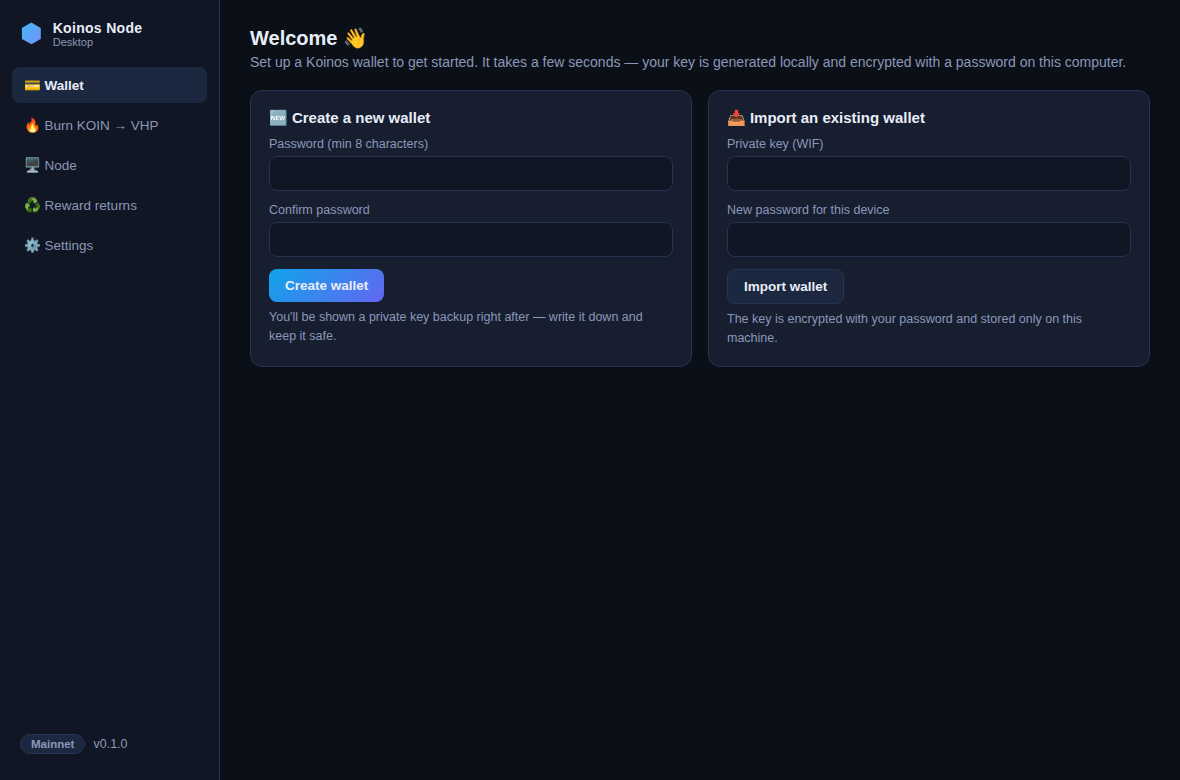
Wallet in seconds
Generate a Koinos wallet locally — encrypted with your password, keys never leave your computer. Import an existing key any time, back up with one click.
Burn KOIN → VHP
Virtual Hash Power is your stake for producing blocks. Burn safely with a built-in liquid-KOIN buffer so you always keep mana to transact.
One-click node
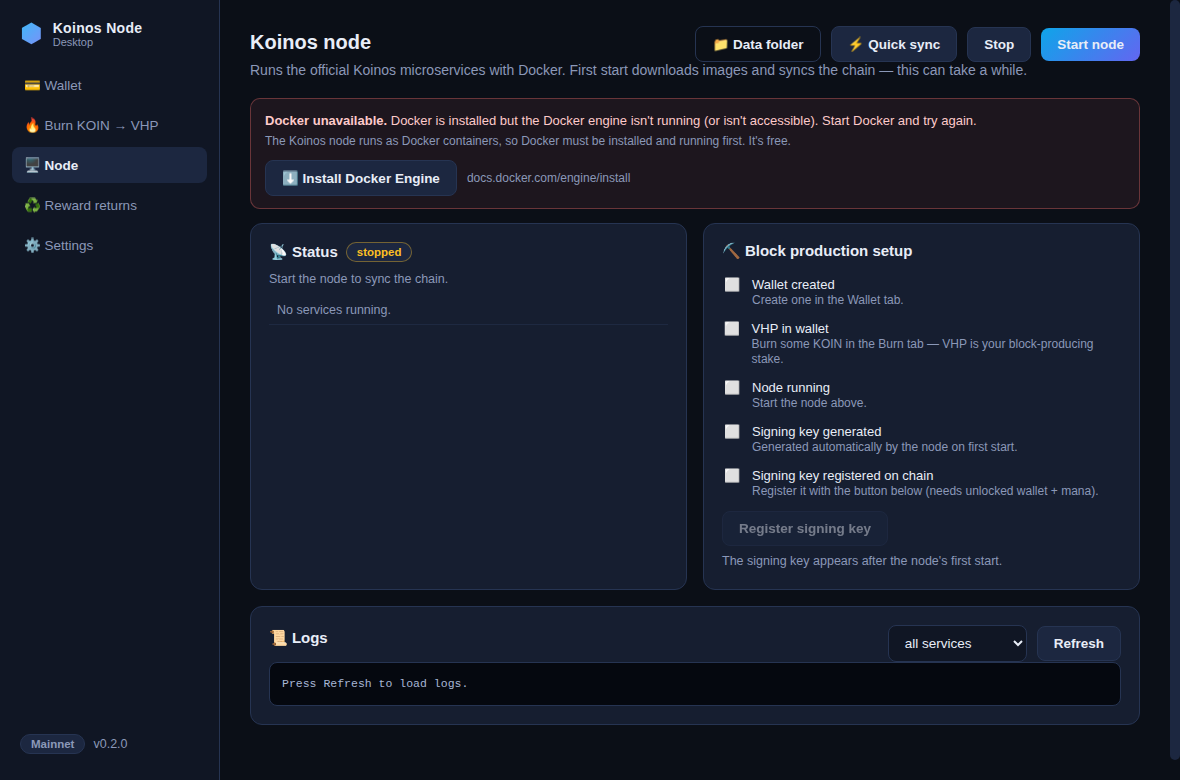
Runs the official Koinos node stack. A guided setup even installs Docker and WSL for you, and registers your block-signing key on chain — no terminal required.
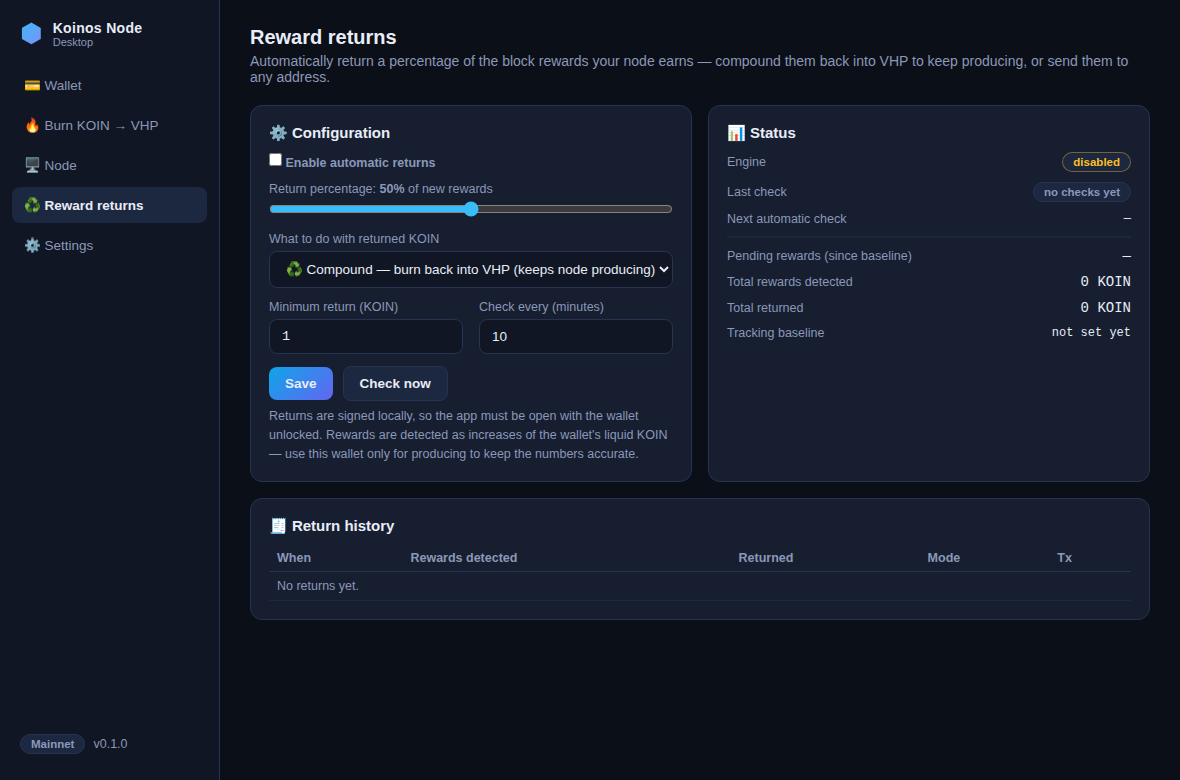
Auto reward returns
Auto-compound a percentage of your block rewards back into VHP to keep producing, or send them to any address. Rewards are read from on-chain events, so the numbers are always accurate.
Yours alone
No accounts, no servers, no telemetry. Everything runs on your machine and talks only to the Koinos network. Free and fully open source.
Get started in 6 steps
- Download & install KoinosKit. Grab the installer for your OS above and run it. The builds are unsigned, so Windows SmartScreen shows an "unknown publisher" notice — click More info → Run anyway. On macOS, right-click the app → Open the first time.
- Let the app set up Docker for you. The node runs in Docker; on the Node tab, the guided setup installs Docker Desktop (and WSL on Windows) with one-click buttons and live detection — no PowerShell, no hunting for downloads. On Linux, Docker Engine is installed from your distro; the app links the official guide.
- Create your wallet and write down the private-key backup it shows you. Store it offline — it's the only way to recover your funds.
- Fund it with KOIN, then burn most of it to VHP in the Burn tab. Keep a little KOIN liquid for mana (the Max button does this for you).
- Start the node with block production enabled and use ⚡ Quick sync to catch up in hours, then register your signing key — one click in the checklist. Budget ~160 GB free disk.
- Set your return percentage in the Reward returns tab (e.g. compound 90% back into VHP), and watch it all on the Dashboard. Done — your node earns while you sleep.
FAQ
Is it safe? Where are my keys?
Your private key is generated on your machine, encrypted with your password (scrypt + AES-256-GCM), and never leaves it. There's no server, no telemetry — the app talks only to the Koinos RPC you configure. The code is open source on GitHub, so anyone can audit it.
Do I need to use the command line or install Docker myself?
No. On Windows and macOS the app's guided setup installs Docker (and WSL on Windows) for you with one-click buttons — you never open a terminal. On Linux, Docker Engine is a standard package install and the app links the official guide.
How are rewards and profit calculated?
Straight from the blockchain. KoinosKit reads the actual block-reward and VHP-burn events your node produces, so the Dashboard and Reward-returns tabs show real numbers — deposits or manual burns are never mistaken for rewards. Producing a block burns some VHP and mints KOIN back to you plus a small premium; "profit" is rewards minus the VHP spent.
Why does Windows warn about an unknown publisher?
The installers aren't code-signed (certificates cost hundreds of dollars a year). The warning is expected for unsigned open-source apps: click More info → Run anyway. You can also verify what you're running by building from source.
How much KOIN do I need to produce blocks?
Any amount of VHP participates, but more VHP means more frequent blocks. Whatever you burn, keep some KOIN liquid — mana from liquid KOIN pays for your transactions, and it recharges over time.
How much disk space and bandwidth?
The chain is tens of GB and grows. Quick sync downloads a ~60 GB snapshot and needs roughly 160 GB free during the restore (you can delete the rollback copy afterwards). A regular home connection is fine.
Does the node keep running if I close the app?
Yes — the node lives in Docker and keeps producing with the app closed. Automatic reward returns, however, are signed locally, so they only execute while the app is open with the wallet unlocked; pending returns simply accumulate until then.
Does it update itself?
Installed builds check for new releases on launch and update in the background, then offer to restart — so you stay on the latest version automatically.